
Mastering 3D Modeling with Maya for Beginners
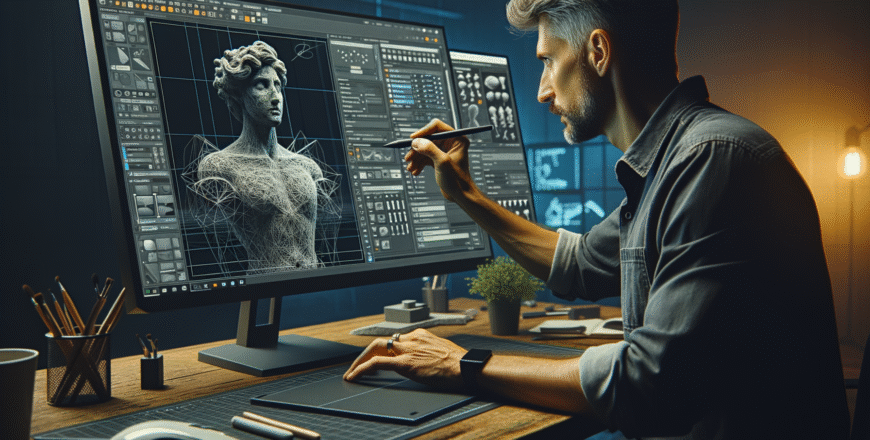
Kickstart your journey into 3D modeling with Maya! This beginner-friendly course guides you through essential tools, techniques, and workflows to ...
Show more

Course details
Lectures
:
22
Quizzes
:
3
Level
:
Intermediate
- Description
- FAQ
- Reviews
Mastering 3D Modeling with Maya for Beginners is designed to introduce newcomers to the world of 3D art and design using Autodesk Maya, one of the industry’s most popular software tools. Through engaging lectures, hands-on exercises, and real-world examples, you’ll learn the basics of Maya’s interface, navigation, and key modeling tools. Discover fundamental concepts such as object manipulation, polygon and NURBS modeling, texturing, and basic rendering. This course emphasizes practical skills, guiding you step-by-step from your first shape to a completed model, while sharing industry tips to improve efficiency and workflow. By the end of the course, you’ll have a solid foundation in 3D modeling, be able to create basic assets, and possess the confidence to continue your learning journey, whether for games, animation, film, or personal creative projects. No prior experience in 3D is required—just curiosity and willingness to learn.
What is Autodesk Maya and why is it popular for 3D modeling?
Autodesk Maya is a professional 3D modeling, animation, and rendering software widely used in film, TV, and video game industries. Its robust features, flexibility, and compatibility make it a popular choice for creating high-quality 3D models and animations.
What are the basic steps to create a 3D model in Maya?
The basic steps include creating a primitive shape, modifying its geometry using modeling tools, refining the details, applying textures and materials, and finally rendering the model. Practicing each step helps build a strong foundation in 3D modeling.
Do I need any prior experience to start learning Maya?
No prior experience is necessary. Maya is beginner-friendly, and plenty of tutorials and resources are available for those starting from scratch. Basic knowledge of computers and creativity are helpful but not required.
Which computer specifications are recommended for running Maya smoothly?
A computer with at least 16GB RAM, a multi-core processor, a dedicated GPU (such as NVIDIA or AMD), and sufficient storage (SSD preferred) is recommended for best performance. Check Autodesk’s official website for up-to-date system requirements.
How can I improve my 3D modeling skills in Maya?
Practice regularly, follow tutorials, join online communities, and study professional 3D models. Experiment with different projects and tools within Maya to gain experience and confidence. Peer feedback and portfolio building are also valuable for skill development.
Please, login to leave a review
Basic info
- Duration: 8 weeks (self-paced)
- Format: Video lectures and hands-on assignments
- Software: Autodesk Maya (student version available)
- Certificate of completion included
- Level: Beginner
Course requirements
- A computer capable of running Autodesk Maya
- Autodesk Maya installed (student/educational version recommended)
- Basic familiarity with computers and operating systems
- Reliable internet connection for course materials and updates
Intended audience
- Aspiring 3D artists and designers
- Students interested in animation, game design, or visual effects
- Hobbyists eager to explore 3D modeling
- Professionals transitioning to 3D art from other creative fields
Introduction to 3D Modeling and Maya Interface
-
1
 Overview of 3D Modeling ConceptsIn this lesson, students will discover the essential concepts and terminology of 3D modeling, laying a strong foundation for future creative projects. Through engaging explanations and real-world examples, learners will explore the building blocks of 3D design, including shapes, geometry, and the basic workflow used by professionals.
 -
2
Getting Started with Maya InterfaceIn this lesson, you'll learn how to confidently navigate the Maya interface and set up your first 3D workspace. Discover the essential tools, panels, and navigation controls that form the foundation for all your 3D modeling projects. By the end, you'll be ready to explore Maya with ease and begin creating your own digital masterpieces.
-
3
Navigation and Viewport ControlsIn this lesson, students will discover essential techniques for navigating and controlling the viewport, gaining hands-on experience with tools that allow them to efficiently explore and manipulate their digital workspace. By mastering these skills, learners will enhance their productivity and confidence when working within complex visual environments.
-
4
Project Organization and File Management in MayaIn this lesson, you will learn essential techniques for setting up and managing projects in Maya, including creating organized folder structures and properly saving your work. By mastering these file management skills, you’ll streamline your workflow and prevent common mistakes, ensuring your Maya projects stay efficient and easy to navigate.
-
5
 Quiz: Maya Basics and Interface
Creating and Manipulating Basic Objects
-
6
Primitive Shapes and Object CreationIn this lesson, students will discover the fundamentals of 3D design by exploring primitive shapes such as cubes, spheres, and cylinders. They will learn how to create, manipulate, and combine these basic objects to build more complex models, laying a strong foundation for future 3D modeling projects.
-
7
Selection, Move, Rotate, and Scale ToolsIn this lesson, students will master the essential selection, move, rotate, and scale tools, building a strong foundation for manipulating objects in any creative project. Through hands-on practice, learners will gain confidence in efficiently selecting and transforming objects to achieve their desired results.
-
8
Grouping and Parenting ObjectsIn this lesson, students will discover how to efficiently organize and manage digital objects by mastering grouping and parenting techniques. They will learn the differences between grouping and parenting, as well as practical strategies to streamline workflows and maintain hierarchical structures in their projects.
-
9
Transform Constraints and SnappingIn this lesson, students will explore how to precisely control object movement and alignment in 3D design using transform constraints and snapping tools. Learners will gain hands-on experience applying these techniques to streamline their workflow and achieve accurate, professional results in their 3D projects.
-
10
Assignment: Build a Simple Scene Using PrimitivesIn this lesson, you will learn how to construct a simple 3D scene by combining basic geometric primitives such as cubes, spheres, and cylinders. You'll develop essential skills in positioning, scaling, and arranging these shapes to create a visually appealing composition, setting a strong foundation for future 3D modeling projects.
Modeling Techniques and Tools
-
11
Polygon Modeling FundamentalsIn this lesson, students will explore the foundational concepts of polygon modeling, including the basic structure and components of polygons used in 3D modeling. By the end, learners will understand how to create, manipulate, and optimize polygonal shapes as a crucial step in digital modeling workflows.
-
12
Extrude, Bevel, and Bridge ToolsIn this lesson, you’ll unlock the power of the Extrude, Bevel, and Bridge tools—essential techniques for shaping and connecting 3D models. By the end, you’ll confidently use these tools to add depth, detail, and complexity to your own digital creations.
-
13
Edge Loops and Topology OptimizationIn this lesson, you will discover how to effectively use edge loops to enhance the structure and flow of your 3D models. You’ll learn essential techniques for optimizing topology, ensuring clean geometry and smooth deformations for both animation and detail work. By the end, you'll be equipped to create more efficient, professional-quality models.
-
14
Sculpting and Soft SelectionIn this lesson, you’ll discover how to elevate your 3D models by mastering sculpting tools and soft selection techniques. You’ll learn to shape complex forms with precision and achieve natural, smooth transitions, giving your creations professional-quality detail and realism.
-
15
Quiz: Modeling Tools and Techniques
Texturing, Materials, and UV Mapping
-
16
Introduction to Materials and ShadersIn this lesson, you'll discover the fundamentals of materials and shaders, learning how they define the appearance of objects in 3D environments. By the end, you'll understand how to apply and customize basic materials and shaders to bring your digital creations to life.
-
17
Applying and Editing TexturesIn this lesson, students will discover how to apply, adjust, and refine textures to enhance the realism and visual appeal of digital projects. Learners will gain hands-on experience with essential tools and techniques for editing texture properties, enabling them to create detailed and professional-looking surfaces.
-
18
UV Mapping BasicsIn this lesson, students will discover the essential principles of UV mapping, learning how to unwrap 3D models and accurately apply textures. By exploring fundamental techniques, they will gain hands-on experience creating clean UV layouts, laying a strong foundation for professional texturing workflows.
-
19
Texture Painting EssentialsIn this lesson, students will explore the fundamental techniques and tools needed to excel in texture painting, from preparing surfaces to applying advanced effects. Learners will gain hands-on experience with essential methods, empowering them to create realistic and visually striking textures in their own projects.
-
20
Assignment: Texture a Simple ObjectIn this lesson, you will learn how to apply and adjust textures to a simple 3D object, transforming basic shapes into visually interesting models. By completing the assignment, you'll gain hands-on experience with essential texturing tools and techniques, setting a strong foundation for future 3D design projects.
Lighting, Rendering, and Final Project
-
21
Lighting Techniques in MayaIn this lesson, students will explore essential lighting techniques in Maya, progressing from foundational setups to advanced methods used by industry professionals. Learners will gain hands-on experience creating realistic lighting, mastering tools and settings to enhance their 3D scenes and animations. By the end, students will be equipped to elevate their visual storytelling through effective lighting design.
-
22
Rendering Basics and Output SettingsIn this lesson, students will explore the fundamentals of rendering, gaining an understanding of key concepts and processes involved in creating high-quality images. Learners will also discover how to configure essential output settings to ensure their rendered projects meet the desired specifications.
-
23
Setting Up a Final SceneIn this lesson, students will discover essential techniques for setting up a powerful final scene that leaves a lasting impression on readers. They will learn how to build emotional resonance, tie up key story threads, and craft endings that feel both satisfying and memorable.
-
24
Assignment: Create and Render Your Final ModelIn this lesson, you will apply your modeling skills to design and construct a final 3D model, focusing on creativity and technical accuracy. You'll also learn how to render your project, showcasing your work with professional lighting and materials to bring your creation to life.
-
25
Final Quiz: 3D Modeling in Maya

